
Posture Science
A Height-Adjustable Desk Needs a Seating Strategy
A sit-stand desk expands your options without changing the chair underneath it. Here is why the useful territory is the middle ground between sitting and standing, and how to pair seating with a moving desk so the transitions actually get used.

A height-adjustable desk changes a workstation, but it does not automatically change the workday. Many desks move easily from sitting to standing while the chair underneath remains designed for one seated position. The gap shows up in the moments between: when someone wants to perch, lean in, return to focused work, or sit down without starting over.
The useful question is not how many hours you should stand. It is whether the workstation makes it easy to change position as the work changes: typing, a long call, reading something closely, leaning back to think.
The desk is only one part of the transition
Standing can be welcome during a call or a short burst of review. Sitting usually makes more sense for concentrated writing, detailed drawing, or a long meeting. A desk that changes height expands the options, but the screen, keyboard, chair, and floor still have to work together at every height you actually use.
This is why a desk should be set up for transitions rather than endpoints. The controls should be reachable without leaving the task. Cables should not limit travel. The screen should stay readable at the heights people genuinely adopt, not just the two presets they programmed on day one. And the chair should not become an obstacle every time the desk moves.
The interesting territory is the middle
Most sit-stand advice frames the choice as binary, and the research it draws on is genuinely comparative. Mandal's work on the seated worker (Applied Ergonomics, 1981) is the more useful reference here, because his argument was not that people should stand more. It was that the seated working posture should move closer to a half-standing position, with a hip angle in the region of 120 to 135 degrees, rather than the conventional right angle.
That reframes what a height-adjustable desk is for. Its value is not only that it reaches standing height. It is that it opens the whole band between sitting and standing, which is where perching lives. A desk raised part way, paired with seating that supports a more open hip angle, gets closer to Mandal's half-standing posture than either extreme does.
The binary framing is what leaves most sit-stand desks underused. People set two heights, find standing tiring after twenty minutes, and settle back into the seated preset for the rest of the day. The middle of the range, the part that asks the least of the body, goes unvisited because nothing in the setup invites it.
Three positions a moving desk asks for
Rather than a sit-or-stand toggle, plan for three:
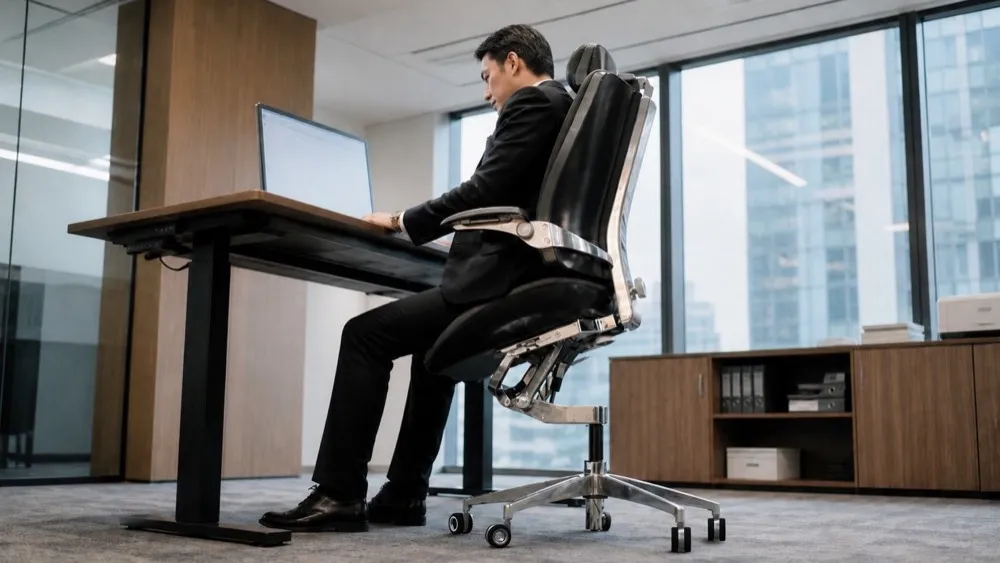
Seated and settled. Desk low, chair flat or close to it, weight carried by the seat. On a conventional chair this is where concentrated work happens. On the Vision Chair the seat and backrest move as one piece, so when the seat flattens, the backrest leans back with it and you end up reclined. That makes this end of the range the more relaxed one: good for calls, reading, and thinking rather than for close work.
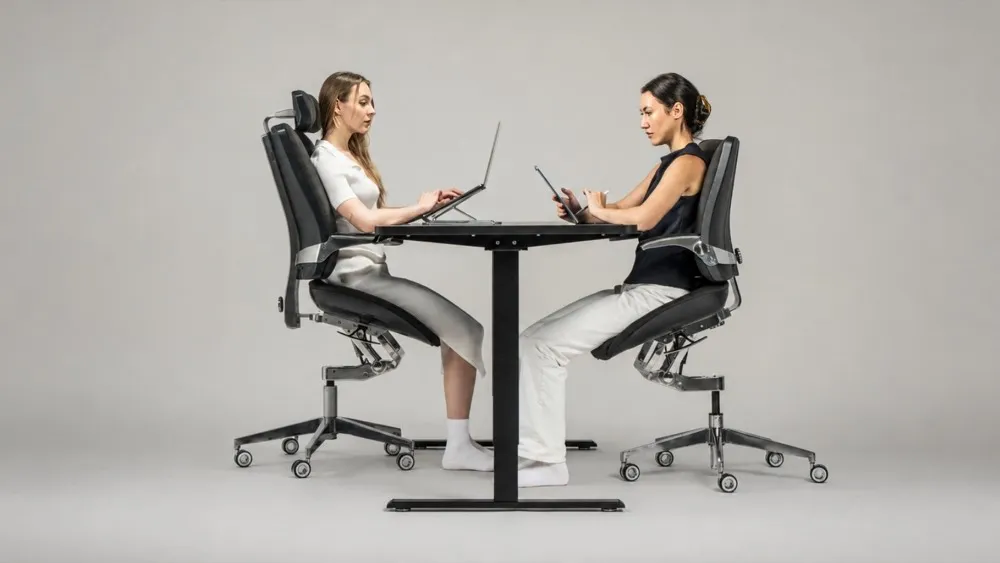
Perched. Desk part way up, seat angled forward, weight shared between the seat and the floor, hips open and the back roughly upright. This is the position most people skip, and on Elevated Seating it is the one that suits concentrated work best, because it puts you up and forward over the task. A conventional task chair does not perch well; the seat is flat, the height range often stops short, and the front edge becomes a pressure point.
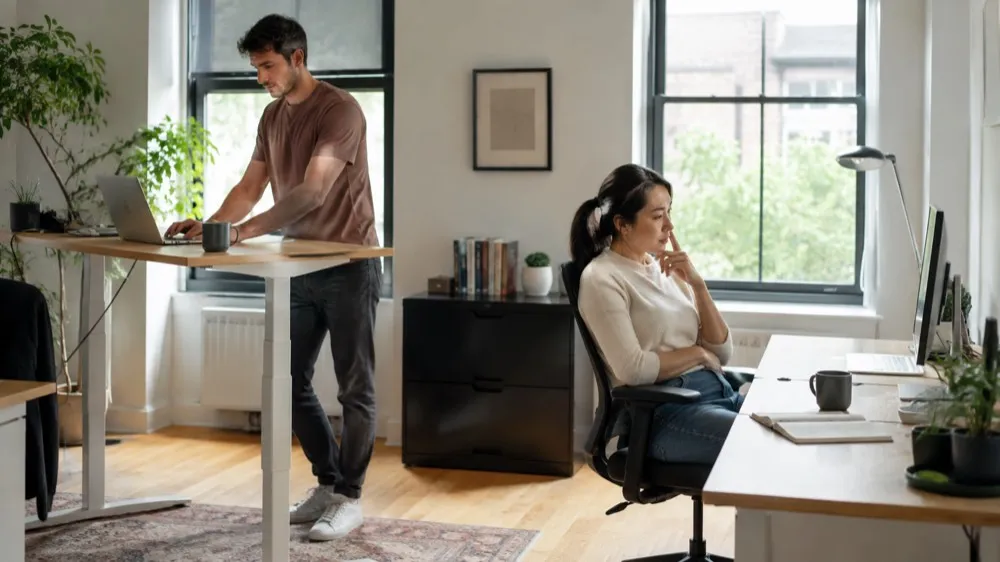
Standing. Useful in bursts, for calls, reviews, and conversations. Its main cost is that it is tiring, which is precisely why the perched position matters as the thing in between.
Worth noticing that the usual advice inverts here. On an ordinary chair you sit to focus and perch for a change of scene. Pair a moving desk with seating where the backrest moves with the seat, and the perched end becomes the working position while the flat end becomes the resting one. A seating strategy is deciding, in advance, which of those three your chair has to handle and how you will move between them.
Decide which transitions matter most
There is no ideal sequence for every person. Start by noticing what happens over a normal day.
- Which tasks make you want to stand?
- When do you perch instead of fully sitting?
- Which positions make the desk feel too high or too low?
- What do you avoid because changing the setup takes too long?
The answers separate a helpful feature from a symbolic one. A workstation that makes position changes easy is far more likely to be used the way it was sold.
Seating as a companion, not an afterthought
A conventional task chair pairs adequately with a sit-stand desk if you mostly sit. A perch stool works for short intervals but gives you little to rest against. Levitask's Elevated Seating approach is built for exactly this pairing. The Vision Chair's seat angles up to 18 degrees forward of flat, which raises how high you sit and is why the desk has to move with it, and the patent-pending T-Mech™ keeps the thigh and seat relationship present as you shift position. The backrest is linked to the seat, so the open angle holds whichever end of the range you are working at.
Whatever the seating choice, test it against the desk rather than on its own. Work with the desk low, medium, and high for a real task, not a demonstration. A chair that only makes sense at one desk height will quietly push you back toward one desk height.
A practical setup sequence
Start from the position you work in most. On Elevated Seating that means starting perched rather than settled: seat angled forward, back roughly upright, then the desk raised until your forearms are level with the surface. Expect that height to be higher than feels natural at first.
From there, let the desk follow the seat rather than the other way round. Every change in seat angle invites a slightly different desk height: flatten the seat a few degrees and the surface wants to come down with you, steepen it and the desk comes back up. In practice you use the heights in between far more than any two saved stops, which is exactly what the middle of a sit-stand desk's range is for. If your desk has memory presets, treat them as rough landmarks, not the only places you stop. Standing height comes last and matters least, because you will use it in bursts.
The point is not to choreograph every hour. It is to make the workday easier to inhabit when it changes on its own, which it will. The rest of the setup is covered in A Workstation Is a System, and if you are still choosing the chair itself, the standing desk chair alternatives guide covers the trade-offs in more detail.