
Posture Science
A Workstation Is a System, Not a Chair
A workday is set by the relationship between chair, desk, screen, and habits, not by any single purchase. Here is how to read your workstation as a system, and why the seat is the one part that meets your body through every task.
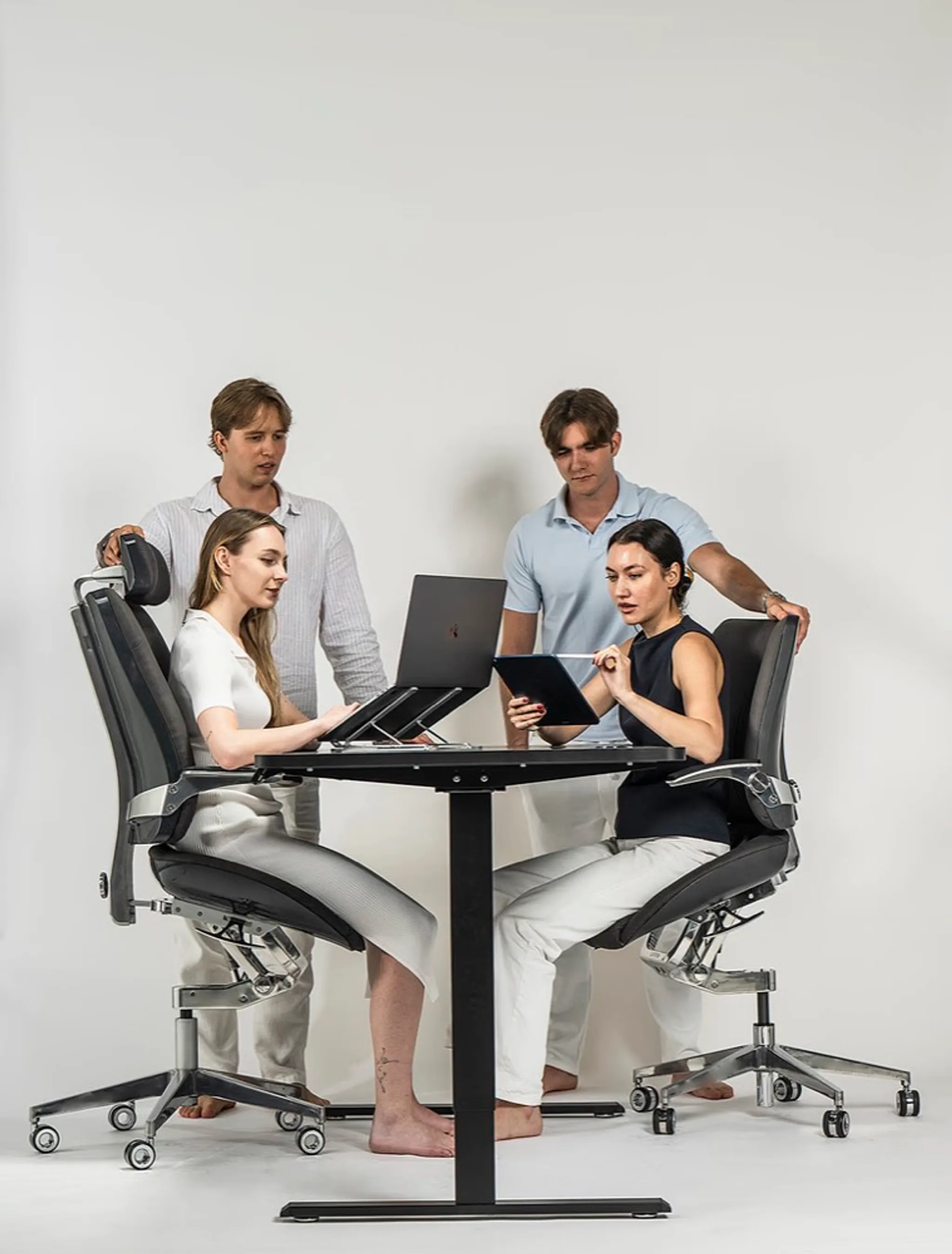
It is tempting to solve a workday with a single purchase. The chair is uncomfortable, so replace the chair. The screen feels low, so buy a monitor arm. The desk is crowded, so add a surface. Sometimes that is exactly right. More often the problem is the relationship between the parts.
A workstation is a system: chair, desk, screen, keyboard, light, floor, room, and the habits that grow around them. Change one part and the others respond. A taller chair changes the desk relationship. A new screen changes how far you lean. A standing desk changes when you perch, sit, and break. The goal is not a perfectly optimised diagram. It is a setup that makes the work feel less demanding to inhabit.
The parts talk to each other
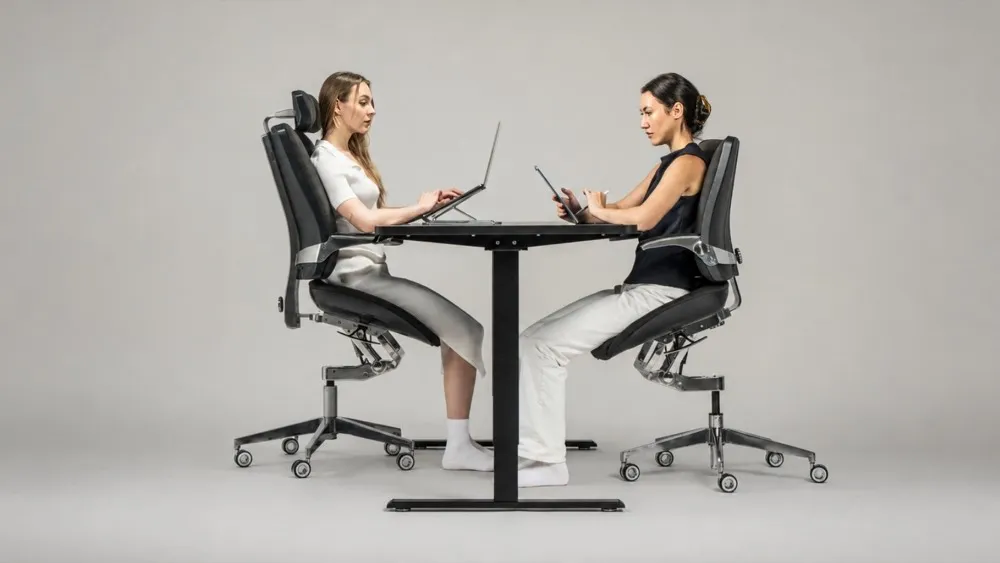
The clearest evidence that a workstation is a system is that a change in one part shows up somewhere else, often at the neck. Yim and colleagues measured neck-extensor muscle activity across sitting postures (Medicine, 2020) and found it was less than half on a forward-tilting seat, about 2.67 percent, compared with 5.45 percent on a flat seat and 6.77 percent on a rearward-tilting one. The seat angle is the last thing most people would connect to their neck, yet the measurement links them directly. It is a reminder that the open-angle benefit reaches beyond the lower back, and that you cannot tune the screen in isolation from the seat beneath it.
Begin with the task, not the furniture
The most useful question is not "what chair should I buy?" It is "what does this person do here?" Someone editing video needs a different visual relationship with a screen than someone taking sales calls. Someone who draws, writes, codes, meets, and reviews documents across one day does not need one posture. They need a setup that makes changing tasks feel straightforward. Furniture advice often becomes abstract here, talking about correct positions without asking whether the desk is used for focused work, conversation, sketching, reading, or all of them in rotation.
The overlooked role of transitions
The quality of a workstation shows up between tasks. Can you move from typing to a call without resetting the room? Can you stand without abandoning the chair? Can you lean in for precise work without losing the sense that the desk still fits you? Those transitions shape the day more than a perfectly arranged opening position, which is why the chair, desk, and screen have to be considered together. A good chair can be undone by a desk at the wrong height. A generous monitor setup can still leave you twisting toward a second screen.
A practical way to assess your setup
Spend one normal day noticing the moments you adjust yourself to the furniture rather than the other way around.
- When do you perch at the front edge of the chair?
- When do you lean toward the screen?
- When do you stop using an adjustment because it takes too much effort?
- Which task makes you want to leave the desk?
There is no prize for enduring a workstation that is nearly right. These observations point to the part of the system that deserves attention first, and they pair well with the fit questions in Fit Is Not a Feature.
Where the chair belongs in the system
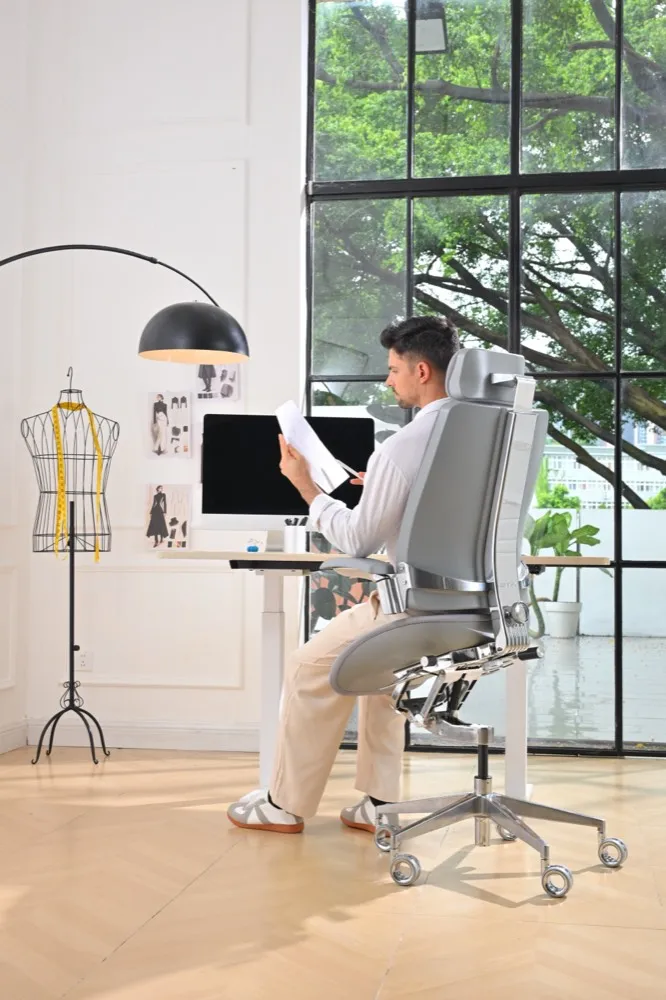
The chair matters because it is the one component that meets the body through every task, and it is also the component most likely to force a change elsewhere. The Vision Chair angles its seat up to 18 degrees forward of flat; the patent-pending T-Mech™ keeps the thighs in contact as that seat moves, and the backrest is linked to it so the open posture holds as the task changes.
That angle has a knock-on effect the rest of the system has to absorb. Sloping the seat raises how high you sit, so the desk has to rise to meet you, and the screen follows the desk. Change the chair and the room answers. That is one part of the wider idea Levitask calls Elevated Seating.
This is the clearest case for treating the workstation as one thing. An angled seat raises your seated height, so the desk has to rise too, and the screen follows the desk. Change the chair here and the rest of the system has to answer.
No chair should be asked to solve a whole room. The better ambition is a workstation where chair, desk, and screen together make it easier to change position, change task, and stay with the work. That is a more human measure of ergonomics: not a perfect still image, but a day with fewer moments of friction.